

Software teams often need to release updates quickly without introducing errors. However, building, testing, and deploying applications manually can slow down development and make releases harder to manage. Continuous Integration and Continuous Delivery or Deployment, known as CI/CD, help teams automate these steps and deliver software more reliably.
A well-planned CI/CD pipeline allows developers to check code changes, run tests, and prepare or release applications through a repeatable process. It also helps teams find problems earlier and reduce delays between writing code and making updates available to users.
What Is CI/CD in DevOps?
CI/CD is a software development practice that connects code changes with automated testing and delivery processes. It helps development and operations teams work together by reducing manual steps and making software releases more consistent.
CI/CD has two main parts: Continuous Integration and Continuous Delivery or Continuous Deployment. Although these terms are related, they describe different stages of the software release process.
Continuous Integration (CI)
Continuous Integration means developers regularly add their code changes to a shared repository. Each change can trigger an automated process that builds the application and runs tests to check whether the new code works as expected.
For example, when a developer updates a feature, the CI system can check the code, build the application, and run automated tests. If a test fails, the team receives feedback and can fix the problem before it affects other parts of the project.
CI helps teams avoid the difficulties that can arise when developers combine large amounts of code after working separately for long periods.
Continuous Delivery (CD)
Continuous Delivery extends the process by preparing tested software for release. After code passes the required checks, the application can be packaged and moved to a staging environment or another release-ready location.
A team may still require a person to approve the final production release. This gives the business control over when an update becomes available to users.
Continuous Deployment (CD)
Continuous Deployment takes automation one step further. When a code change passes all required tests and checks, the system automatically releases it to production without a separate manual release approval.
This approach works well when teams have reliable automated tests, suitable monitoring, and a clear process for handling failures.
The difference is simple: Continuous Delivery keeps software ready for release, while Continuous Deployment automatically releases approved changes that pass the pipeline.
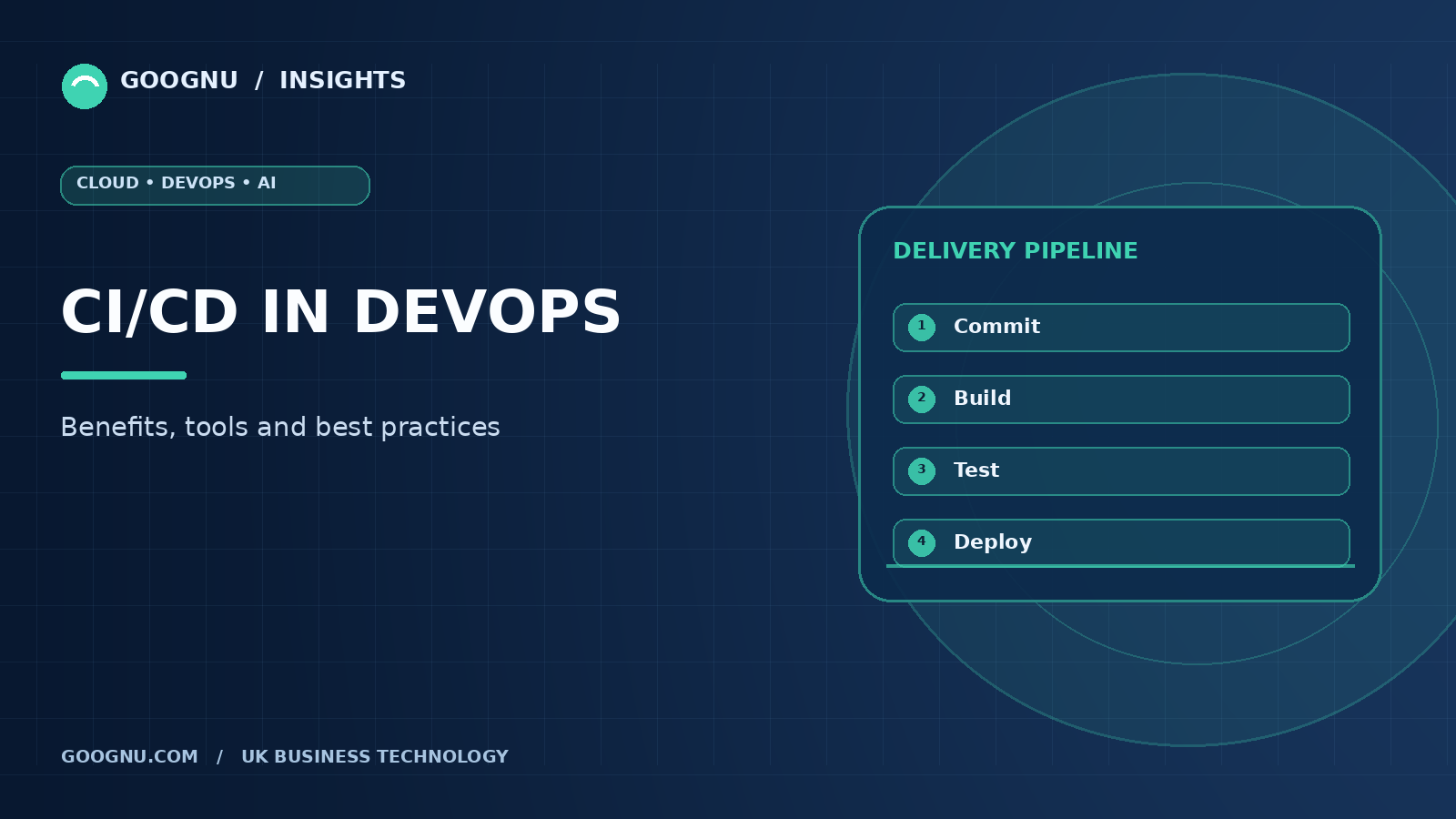
How Does a CI/CD Pipeline Work?
A CI/CD pipeline moves code through a series of automated stages, from development to delivery. The exact stages depend on the application, technology stack, and business requirements.
1. Code Commit
Developers write code and push their changes to a version control repository, such as GitHub or GitLab. This creates a record of the changes and can trigger the pipeline.
2. Build the Application
The pipeline compiles the code or packages the application and its dependencies. Build failures help teams identify problems before moving to later stages.
3. Run Automated Tests
Automated tests check whether the application behaves as expected. These may include unit tests, integration tests, and other checks suited to the project.
4. Check Code Quality and Security
Teams can add code quality checks, dependency scanning, secrets detection, and other security tests. These checks help identify problems before an application reaches production.
5. Prepare the Release
After passing the required checks, the application is packaged as a release artifact or container image. It can then be stored and prepared for deployment.
6. Deploy and Monitor
The application is deployed to a testing, staging, or production environment, depending on the workflow. Monitoring helps teams detect errors, review performance, and respond when a release causes problems.
Not every pipeline uses the same stages. The goal is to build a process that checks the right things without creating unnecessary delays.
Key Benefits of CI/CD in DevOps
A well-designed CI/CD process can improve software delivery, reduce repetitive work, and help teams respond to changes more effectively.
Faster Software Releases
Automation reduces the time spent on manual builds, repeated testing, and deployment tasks. Teams can release updates more frequently instead of waiting for a large release window.
Earlier Detection of Problems
Regular code integration and automated testing help identify defects close to the time they are introduced. This makes it easier to understand what changed and correct the issue.
More Consistent Deployments
Automated deployment steps reduce differences between releases. When teams use the same tested process across environments, they can avoid mistakes caused by manual commands or missed configuration steps.
Better Team Collaboration
A shared pipeline gives developers, testers, and operations professionals a clearer view of build status, test results, and release progress. Teams can resolve issues before they turn into larger delivery problems.
Reduced Manual Work
Repeated tasks such as building packages, running tests, and deploying applications can be automated. Team members can spend more time improving software and solving complex problems.
Improved Release Confidence
Automated checks provide evidence that an application has passed defined tests before release. When combined with monitoring, rollback plans, and clear approval rules, they help teams manage changes with greater confidence.
Popular CI/CD Tools
Several tools support different parts of the software delivery process. The right choice depends on your existing development platform, infrastructure, and team experience.
- Jenkins: An open-source automation server that supports custom build, testing, and deployment pipelines through plugins.
- GitHub Actions: Automates workflows within GitHub repositories and can run tests, build applications, and deploy software.
- GitLab CI/CD: Connects source-code management with pipeline automation through configuration files and runners.
- Azure Pipelines: Supports automated builds, testing, and delivery for applications developed with different languages and platforms.
- CircleCI: Provides pipeline automation for building, testing, and deploying software.
- Argo CD: Supports GitOps-based continuous delivery for Kubernetes applications by comparing the desired configuration in Git with the running environment. These tools are not direct replacements for one another in every situation. For example, Argo CD focuses on Kubernetes delivery, while Jenkins and GitHub Actions can support a wider range of automation workflows.
CI/CD Best Practices for Reliable Releases
Using a CI/CD tool alone does not guarantee a reliable release process. Teams also need clear workflows, useful tests, secure configurations, and a plan for handling failures.
Keep Changes Small
Frequent, smaller code changes are usually easier to test and review than large updates. They also help teams identify the source of a problem more quickly when a pipeline fails.
Automate Important Tests
Start with tests that catch common defects and protect important application functions. Run quick checks early in the pipeline, followed by longer tests where needed. Review failing tests instead of allowing repeated failures to become normal.
Protect Credentials and Secrets
Do not store passwords, access tokens, or private keys directly in source code. Use approved secrets-management methods, restrict access, and review permissions for pipeline jobs and deployment accounts.
Use Separate Environments
Development, testing, staging, and production environments serve different purposes. Keep their configurations controlled and use suitable checks before moving an application to production.
Monitor Pipeline Results
Track failed builds, test results, deployment errors, and release frequency. These details help teams understand where delays occur and which parts of the process need improvement.
Plan for Rollbacks
Even a well-tested release can cause unexpected problems. Teams should know how to restore a previous version or roll forward with a fix. Database changes and infrastructure updates may need additional recovery planning.
Include Security Checks Early
Add code analysis, dependency checks, and other suitable security tests to the pipeline. This follows DevSecOps principles by making security part of regular development rather than leaving every check until the end.
Review and Improve the Pipeline
As applications change, their testing and deployment needs change too. Review pipeline duration, reliability, permissions, and maintenance requirements regularly. Remove unnecessary steps while keeping essential quality and security checks in place.
Common CI/CD Challenges and How to Handle Them
CI/CD can improve delivery, but teams may face difficulties when introducing it.
Slow pipelines: Large test suites or inefficient build steps can delay feedback. Run fast checks first, reuse suitable build outputs, and parallelise independent jobs when practical.
Unreliable tests: Tests that fail without a real application defect reduce trust in automation. Investigate unstable tests and fix their causes instead of routinely ignoring failures.
Configuration differences: Applications may work in testing but fail in production because environments differ. Manage configuration carefully and keep deployment steps consistent.
Limited team knowledge: New tools and workflows may be difficult to maintain without proper training. Document common tasks, assign ownership, and introduce automation in manageable stages.
Security risks: Poorly protected pipeline credentials or excessive permissions can expose systems. Restrict access, protect secrets, and regularly review pipeline configurations.
Addressing these challenges early helps teams build a process that people can trust and maintain.
Final Thoughts
CI/CD helps DevOps teams move from manual software releases to a repeatable process built around automated builds, testing, and deployment. A well-designed CI/CD pipeline can speed up delivery, catch defects earlier, and improve collaboration between development and operations teams.
Start by automating a few important steps, such as building the application and running tests whenever code changes. Then add security checks, deployment automation, and monitoring as your needs grow. Choose tools that fit your existing environment, measure results, and keep improving the process based on real feedback.
Frequently Asked Questions
1. What is a CI/CD pipeline?
A CI/CD pipeline is an automated sequence of steps that builds, tests, checks, and delivers software changes. It helps teams release applications through a repeatable process.
2. What is the difference between CI and CD?
Continuous Integration focuses on regularly merging code and testing changes. Continuous Delivery prepares tested software for release, while Continuous Deployment automatically releases changes that pass the required checks.
3. Is CI/CD only for large businesses?
No. Small teams can also benefit from CI/CD. Even a basic pipeline that runs tests and builds an application automatically can reduce manual work and catch problems earlier.
4. Which CI/CD tool should a beginner choose?
Teams already using GitHub may find GitHub Actions a convenient starting point. Jenkins and GitLab CI/CD are also common choices. The best tool depends on the repository platform, project needs, and team skills.
5. Does CI/CD make software completely error-free?
No. Automated tests cannot identify every possible defect. CI/CD helps detect many problems earlier, but teams still need code reviews, suitable testing, security checks, monitoring, and recovery plans.