


Tickets resolved. Teams aligned.
One platform to ingest, assign and track every support request — across email, WhatsApp, scheduled jobs and more — with SLA breach detection built in.
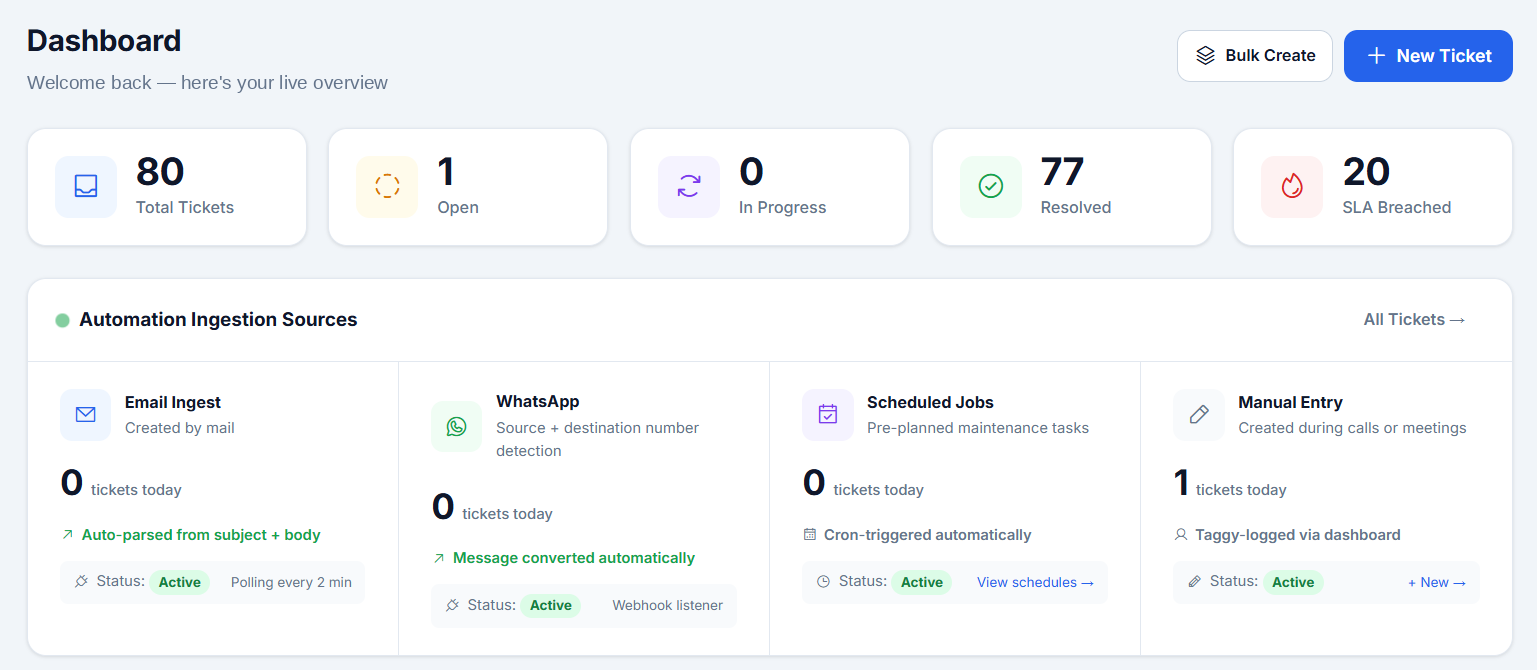
Support work shouldn't live in ten places
When requests are scattered, SLAs slip, critical issues hide and reporting becomes a weekly chore.
Support requests arrive by email, WhatsApp, calls and meetings — with no single place to see them.
Tickets are logged by hand, so details get missed and ownership is unclear.
SLA breaches are noticed after the customer complains, not when they happen.
Critical P1 issues get buried in a busy inbox.
Nobody can see who is carrying what across engineering teams.
Daily and severity-wise reports are compiled manually in spreadsheets.
Every request captured. Every SLA watched.
One queue for every channel
Email, WhatsApp, scheduled jobs and manual entries all flow into a single dashboard.
Never miss an SLA
Every ticket is tracked against its SLA, with breaches flagged the moment they happen.
See who is carrying what
Live workload visibility across every engineering team keeps assignments balanced.
Reports without the effort
Daily P1 alerts and severity-wise reports are ready without anyone assembling them.
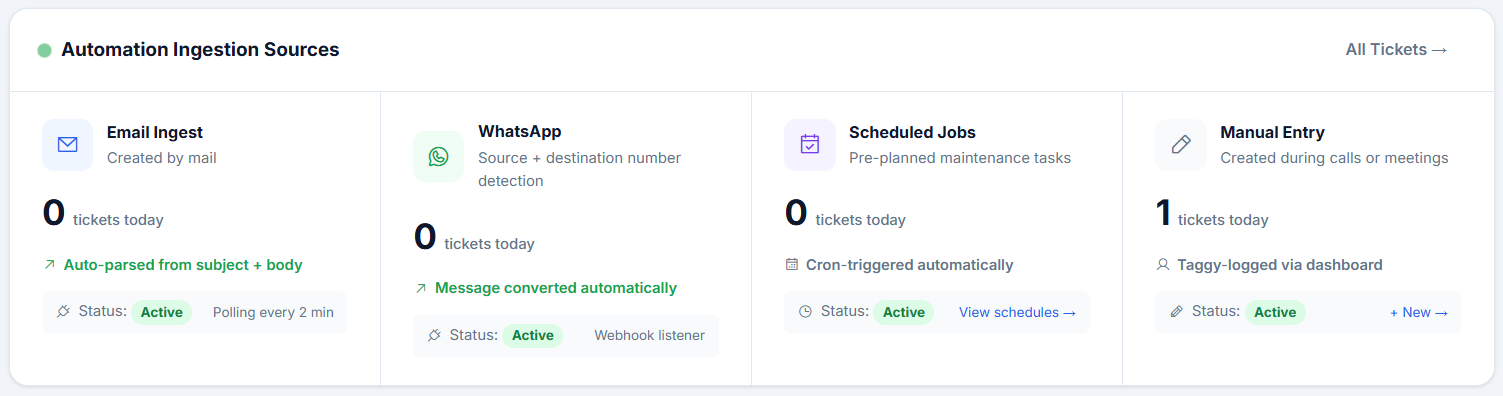
Requests land in Taggy the moment they're raised
However a request comes in, it becomes a ticket — no re-typing, no copy-pasting.
Email ingest
- Tickets created straight from mail
- Auto-parsed from subject and body
- Mailbox polled every 2 minutes
- Source and destination number detection
- Messages converted to tickets automatically
- Webhook listener — no copy-pasting
Scheduled jobs
- Pre-planned maintenance tasks
- Cron-triggered automatically
- View and manage all schedules
Manual entry
- Created during calls or meetings
- Logged in seconds from the dashboard
- Bulk create for larger batches
Every ticket, from open to resolved
Log a request in seconds, assign it, set severity and SLA, and move it through its lifecycle — with every change recorded to history.
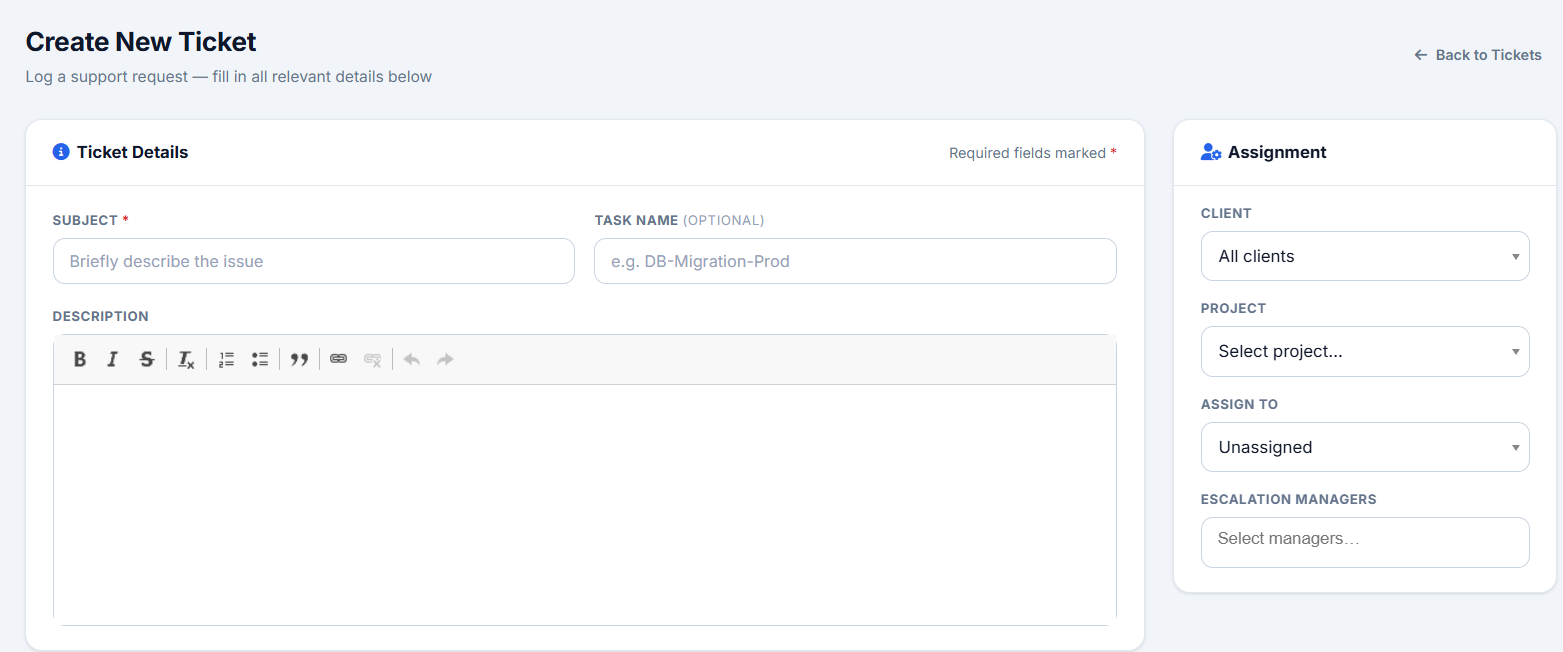
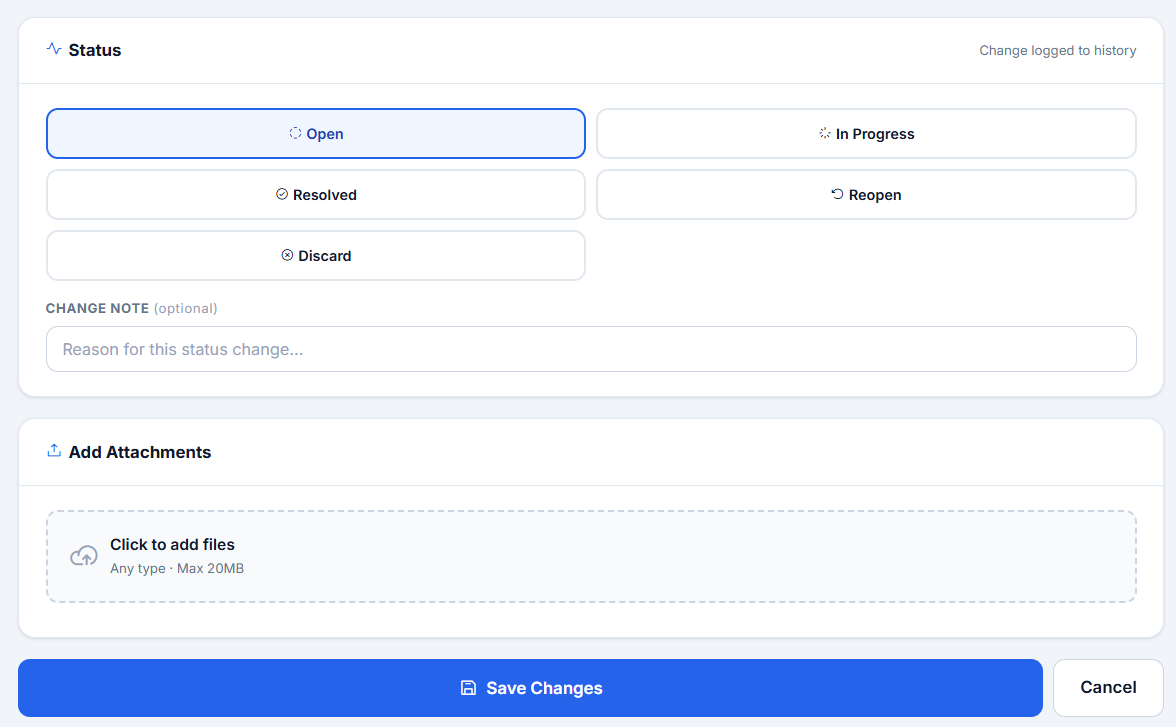
- Create tickets individually, in bulk, or on a schedule
- Assign by client, project and owner, with escalation managers
- Status changes are logged to history, with an optional note
- Attach files of any type to a ticket
- 7-day ticket activity and status breakdown at a glance
Catch breaches early. Report without the effort.
SLA tracking with automatic breach detection
Every ticket is tracked against its SLA and flagged the moment a breach happens — nothing slips by unnoticed.
Daily P1 alerts
Critical issues stay visible with a daily P1 alert, so the most important tickets never get buried.
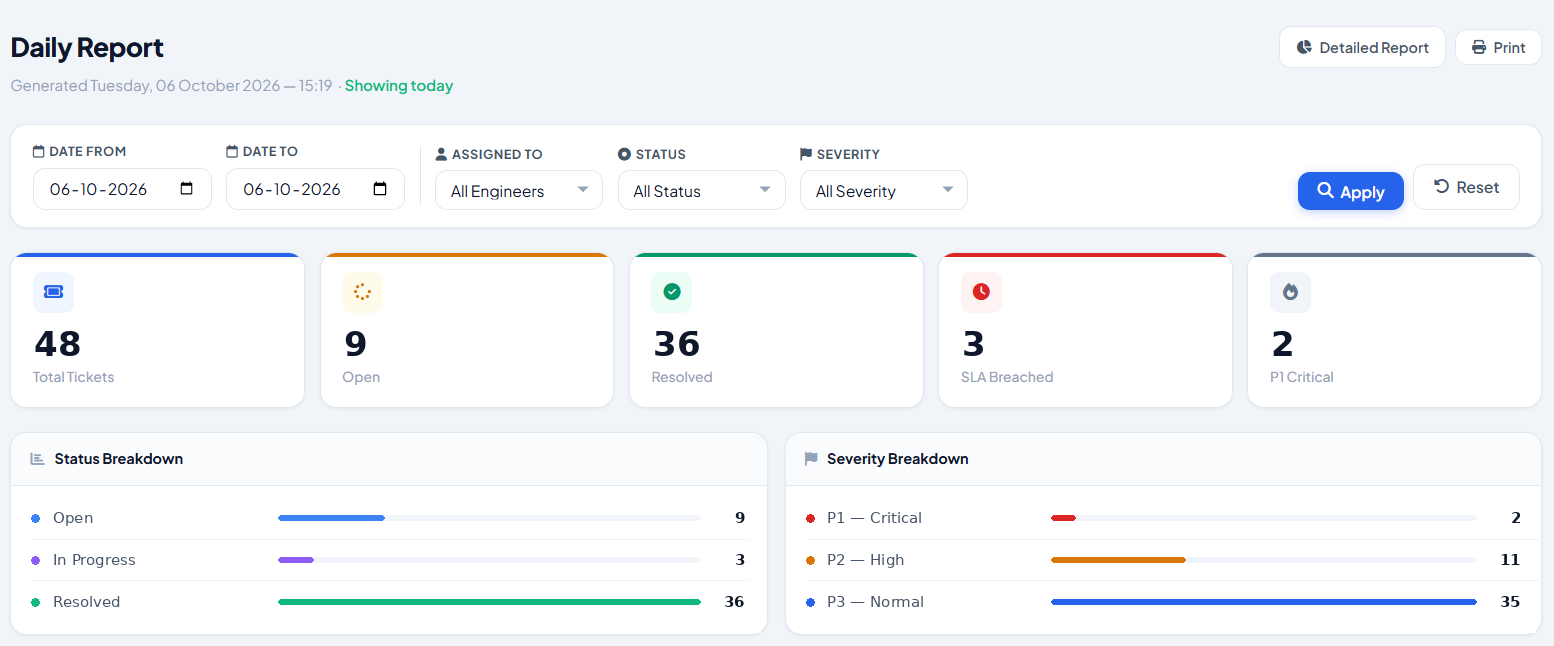
Daily and detailed reports
Severity-wise breakdowns and detailed reports on demand, without assembling spreadsheets.
See exactly who's carrying what — across every engineering team
A single live view of assignments keeps work balanced, makes hand-offs obvious and stops tickets from sitting with the wrong person.
From first request to final report
Connect your channels
Point email, WhatsApp and scheduled jobs at Taggy, or log tickets manually.
Tickets create themselves
Requests are parsed and turned into tickets automatically — no re-typing.
Assign and track to SLA
Route to the right engineer and watch SLAs, with breaches flagged automatically.
Report and improve
Use daily P1 alerts, severity-wise breakdowns and detailed reports to tune the team.
Manual tracking vs. Taggy
| Manual process | With Taggy | |
|---|---|---|
| Ticket creation | Typed by hand from emails and chats | Auto-created from email, WhatsApp and schedules |
| Channel coverage | Scattered across inboxes and phones | One dashboard for every channel |
| SLA monitoring | Checked manually, often too late | Automatic breach detection and flagging |
| Critical issues | Buried among everything else | Daily P1 alerts keep them visible |
| Team workload | Guesswork | Live view of who is carrying what |
| Reporting | Compiled in spreadsheets | Daily and detailed severity-wise reports |
Built for teams that live by their SLAs
Engineering & support teams
Handle every incoming request in one queue with clear ownership.
IT & operations managers
See SLA health and team workload at a glance.
Service providers
Keep every customer request tracked, assigned and reported on.
Teams with strict SLAs
Catch breaches the moment they happen, not after the fact.
Common questions
Which channels can Taggy ingest tickets from?
Email, WhatsApp, scheduled jobs, and manual entry from the dashboard. Everything lands in the same queue.
How does email ingestion work?
Taggy polls the connected mailbox every 2 minutes and auto-parses the subject and body into a ticket.
How are SLA breaches detected?
Each ticket is tracked against its SLA. When a breach occurs, Taggy flags it automatically so it can be acted on right away.
Can we create tickets in bulk?
Yes. Taggy has bulk ticket creation and a dedicated bulk tickets view, alongside scheduled tickets for pre-planned work.
What reports are available?
A daily report, a detailed report, daily P1 alerts and severity-wise breakdowns.
Tickets resolved. Teams aligned.
Bring every support channel into one platform, track SLAs automatically and give your team full workload visibility.
- A live walkthrough of Taggy, tailored to your use case
- Answers on setup, integrations and pricing
- Response from our team within 24 hours
- No commitment required
Get a Taggy demo
Tell us a little about your team and we'll set up a walkthrough.